Preview
Description
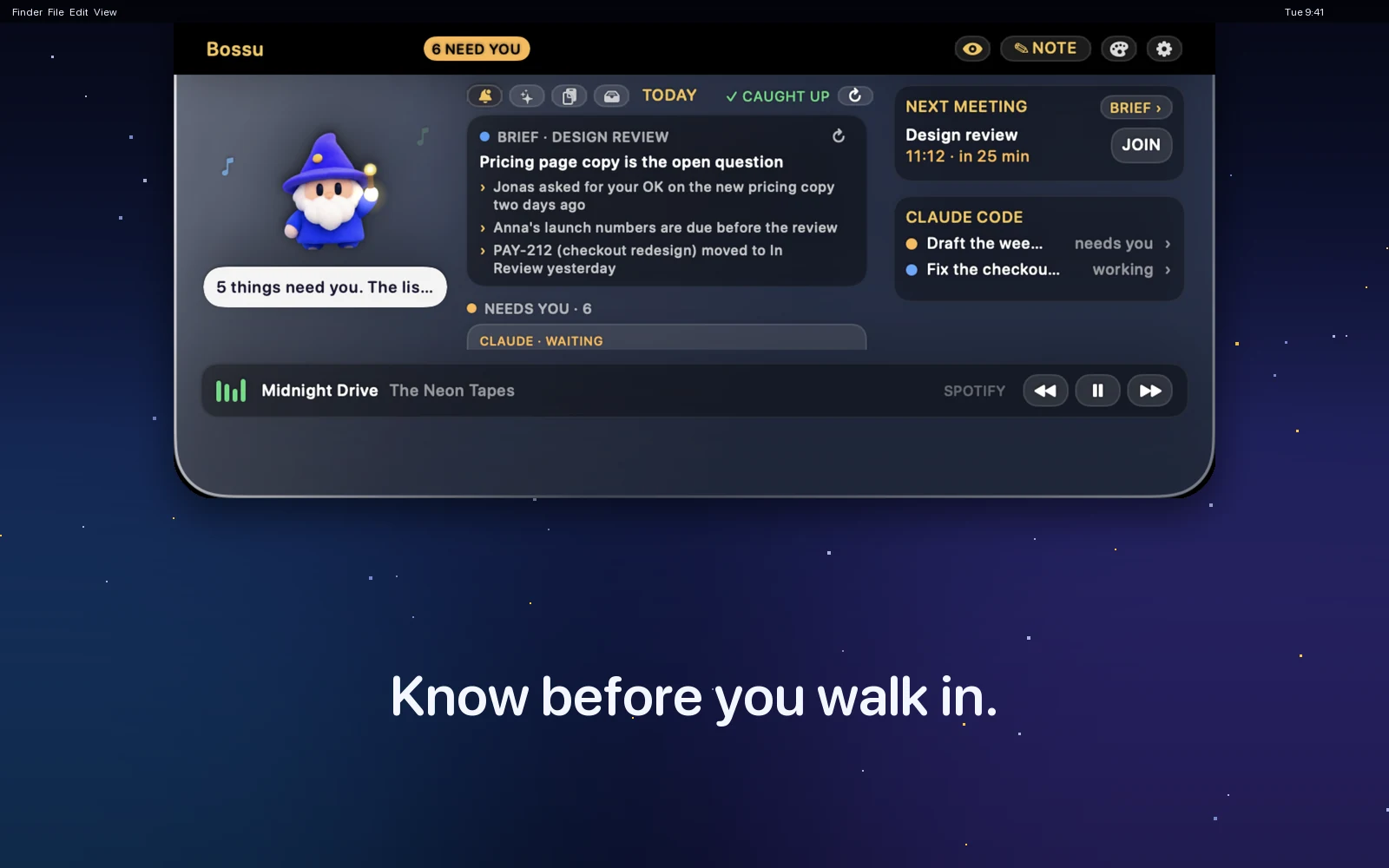
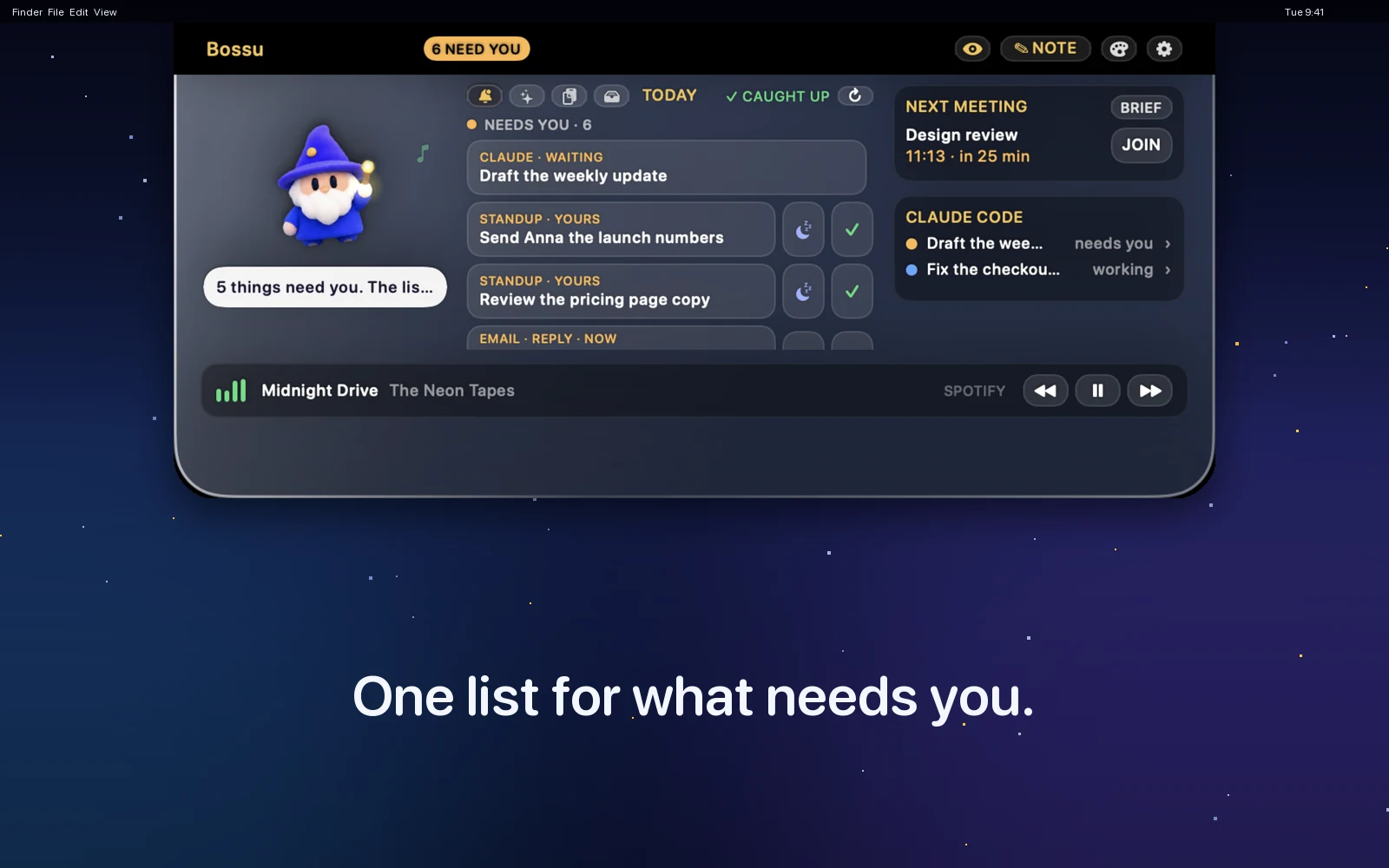
Bossu lives in your Mac's notch. Hover it to see what is next and what needs you. Double-tap a key to understand anything on your screen.
Know what needs you
- A brief before each meeting, from your mail, Slack and tickets.
- The emails waiting for your answer. Snooze what can wait.
- Slack mentions, Linear changes and moved meetings, each with its source and age.
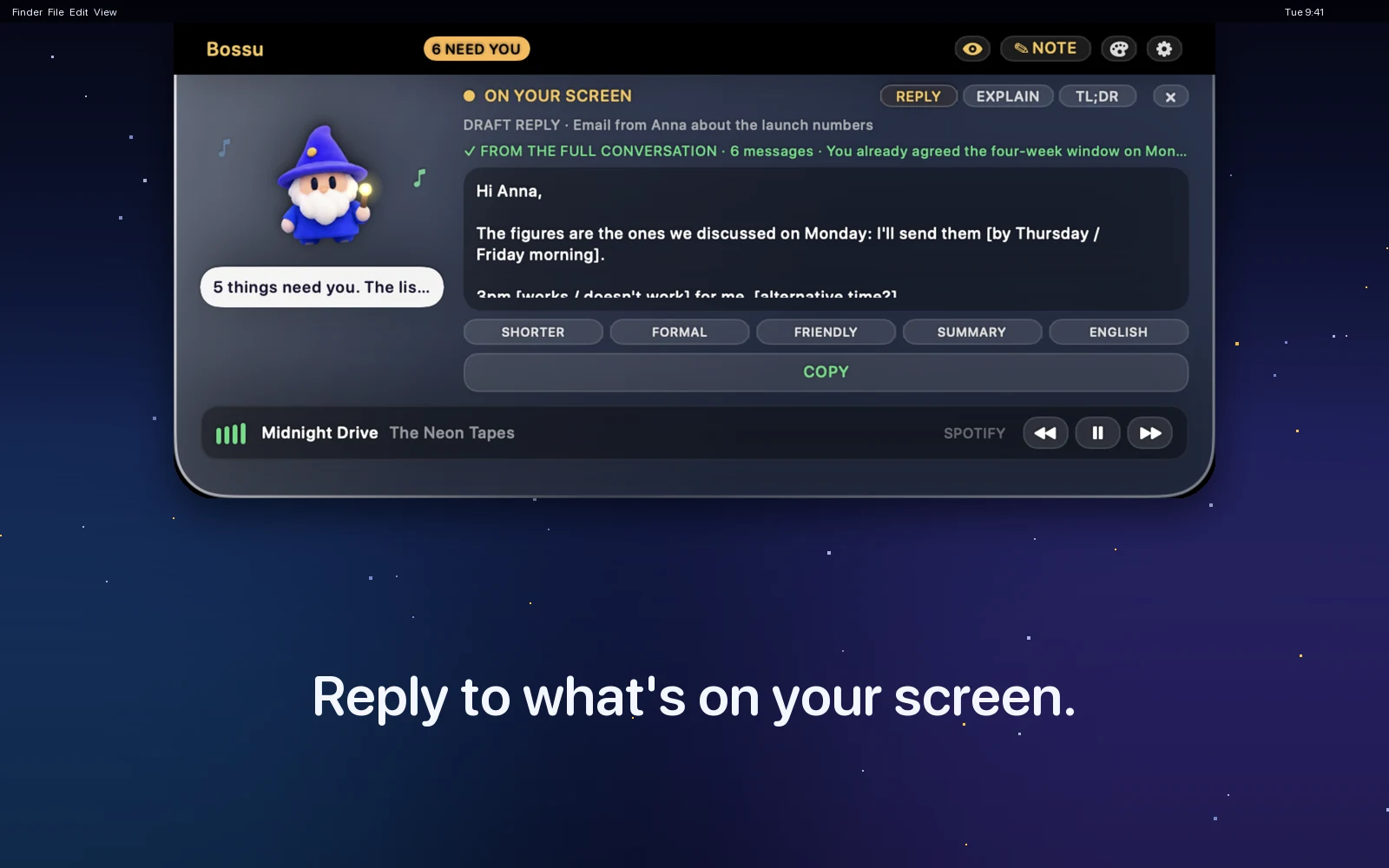
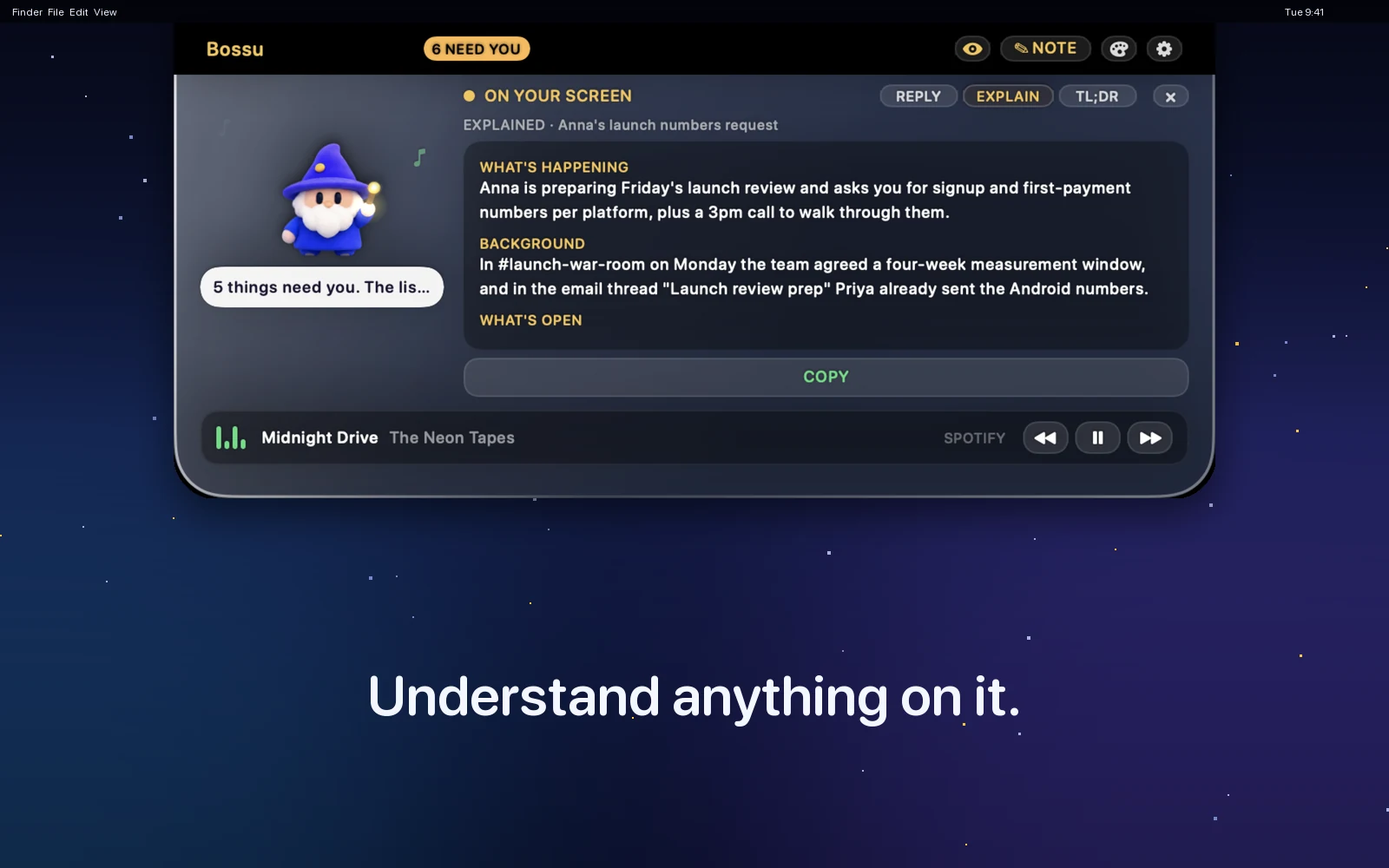
Understand your screen
- Double-tap for a draft reply, a TL;DR or an in-depth explanation.
- Replies in your own voice, saved as Gmail drafts. It never sends.
- Works on email, Slack and Linear. Recent answers come back for 30 minutes.
Stay on top of Claude
- See which Claude Code sessions are working or waiting, and jump to one.
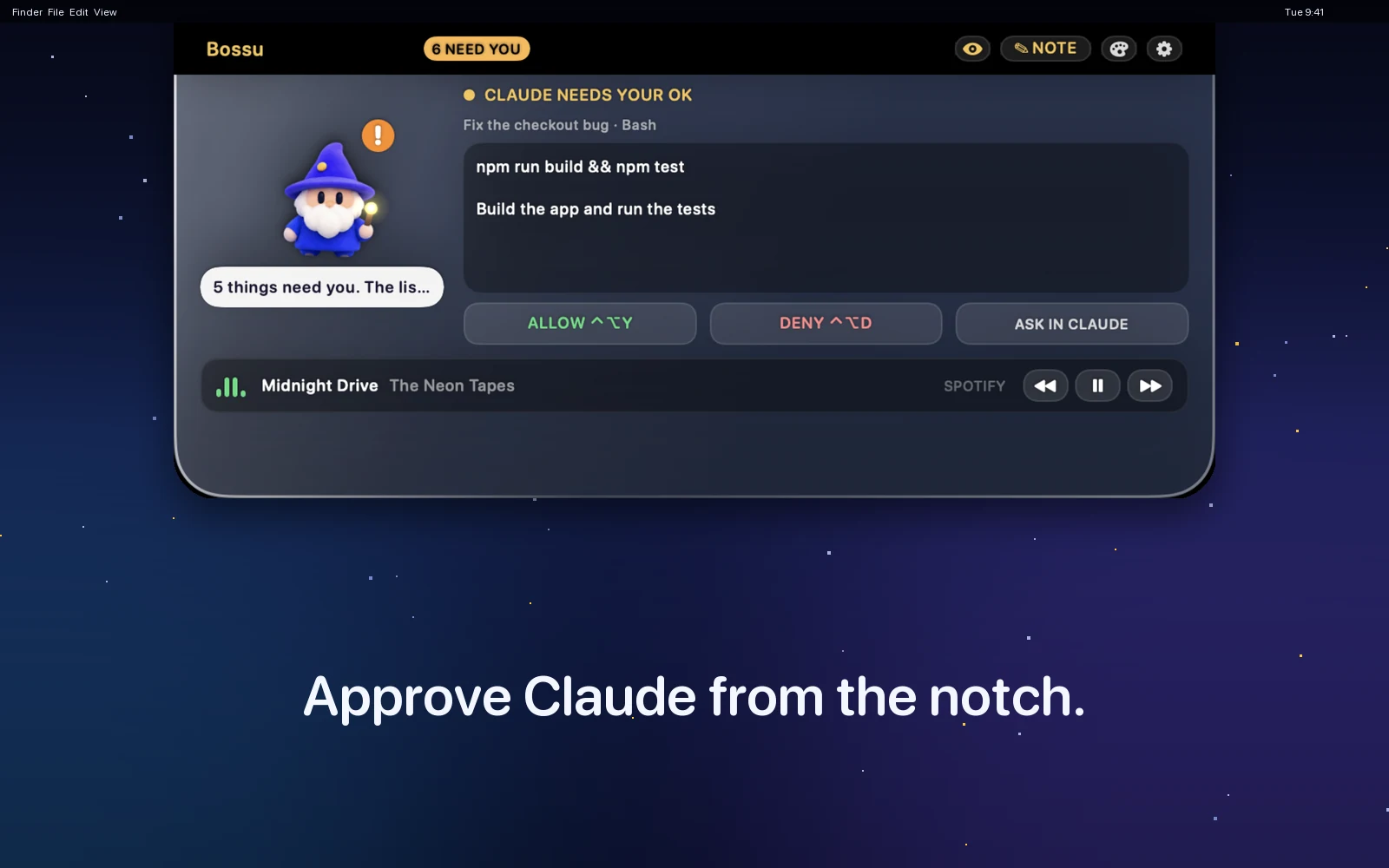
- Approve Claude's "Allow this?" questions from the notch.
- Two small bars for your 5-hour and weekly limits.
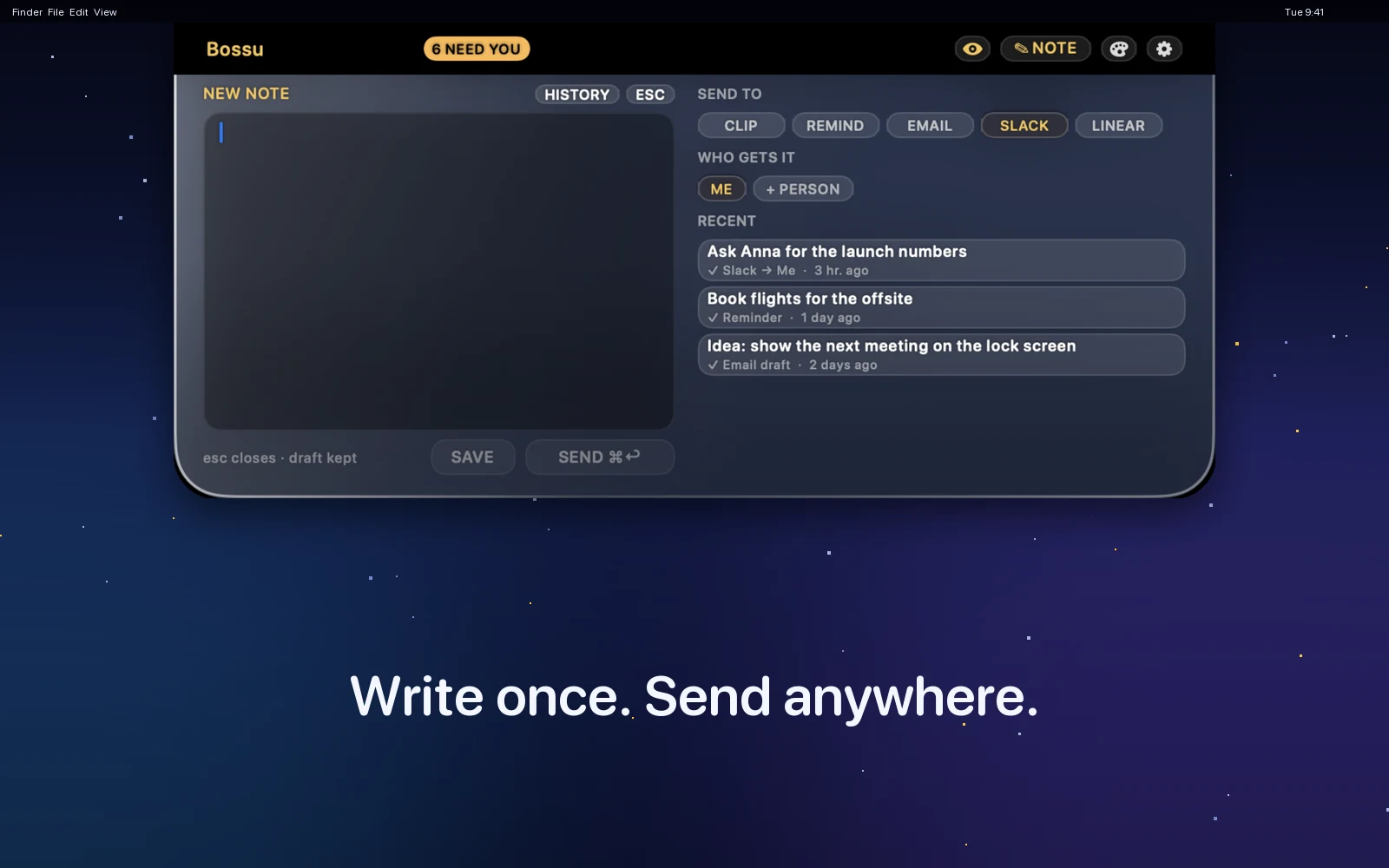
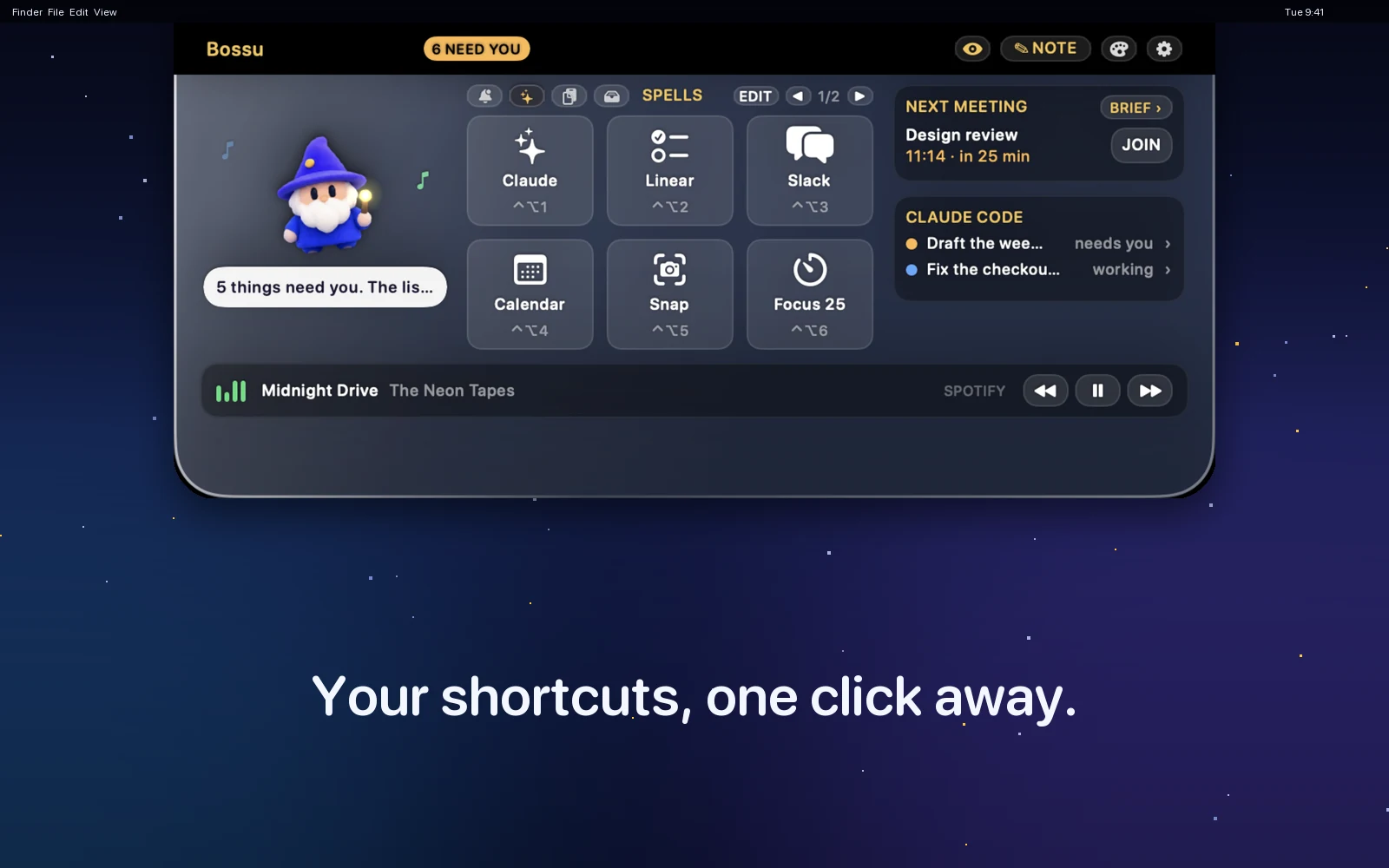
Also in the notch: quick notes to Slack, email, Reminders or Linear, a standup summary, spells, clipboard history, a file shelf, a focus timer, music controls and twelve characters in two looks.
Looking at your screen, the Slack and Linear watch, your writing voice, Gmail drafts, Claude limits and approvals are off until you switch them on.
One glance tells you what needs you. One double-tap tells you what you are looking at.
What's New
- A new app icon and install window in the soft 3D look (1.0.1).
- One double-tap, three answers: a draft reply, a TL;DR, or an in-depth explanation that also searches your other channels, mail and tickets. The last few answers can be reopened for 30 minutes, and Copy no longer closes the card.
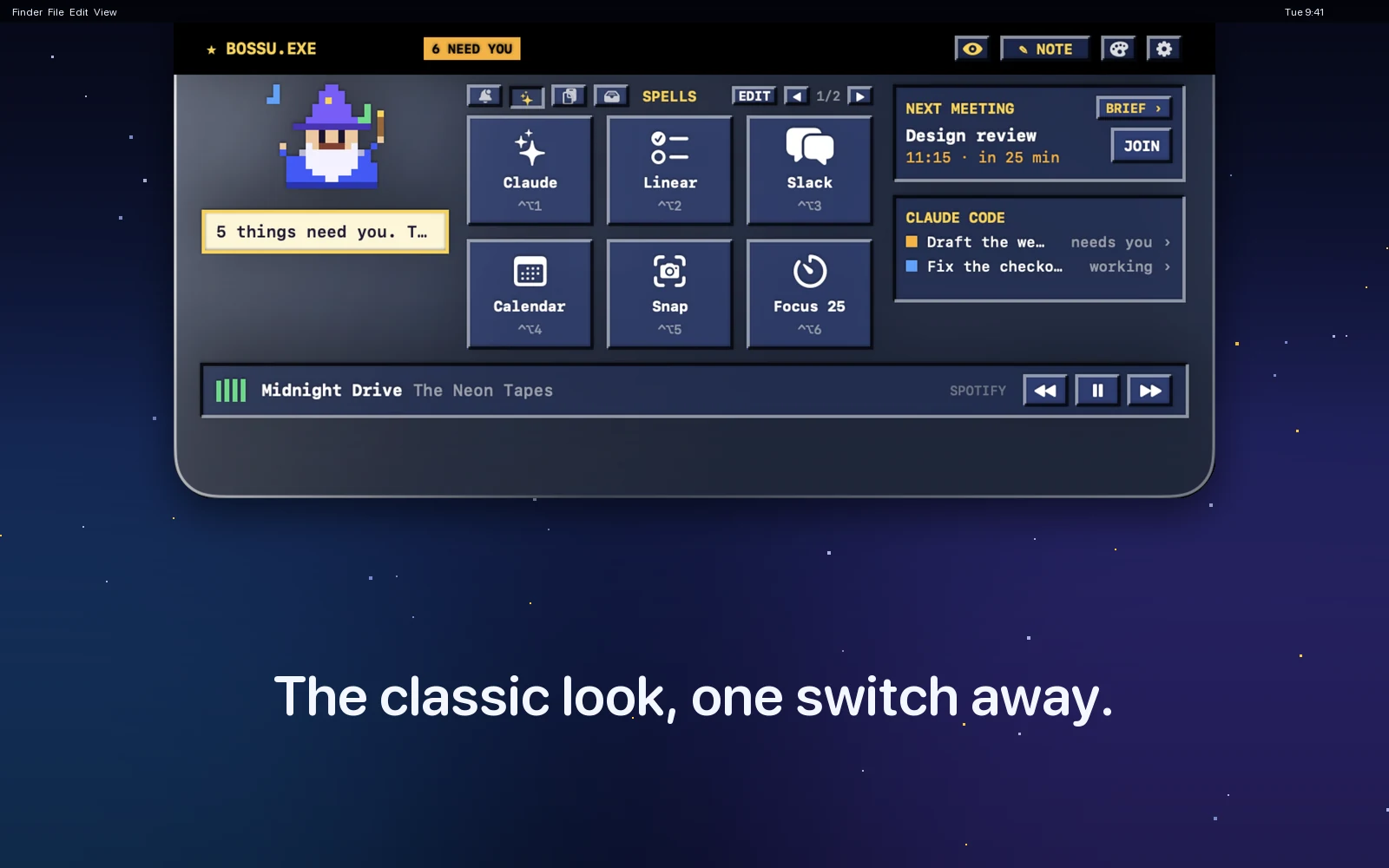
- Two complete looks: pick the soft 3D character and the whole notch turns modern; pick the pixel character and you get the 90s panel back.
- Soft 3D characters for all twelve, who wave, blink, sleep and dance, and a menu bar icon that is your character.
- Keeps up with your work: Slack mentions and messages, Linear changes and calendar changes in Today. Replies in your voice, and save a reply as a Gmail draft. All off until you switch them on.
Version history
0.9
- Soft 3D characters for all twelve, a menu bar icon that is your character, and a clearer Settings window in four tabs.
- Today follows Slack, Linear and calendar changes (opt-in). Replies in your voice and Gmail drafts (opt-in).
- Claude usage bars, and a fix button for the double-tap permissions.
0.7 and 0.8
- Look at my screen: double-tap a key and get a draft reply to the email, Slack message or Linear ticket in front of you.
- Linear support for notes and meeting briefs.
- Claude usage bars in the Claude Code card.
- Setup says clearly when Claude Code has been signed out.
0.6
- Meeting brief: what to know before your next meeting, ready about ten minutes ahead.
- Snooze for emails and standup items.
- Approve Claude's permission requests from the notch (opt-in).
- Every character has its own voice and a signature move, and the app has a new icon.
0.5
- A new app icon and a designed install window.
- A Quit button at the top of Settings.
0.4
- Updates itself: new versions install quietly, and only if they carry the right signature.
- Setup no longer freezes when Claude can't be found.
Twelve characters
They blink, wave their wand when you hover, sleep when you are away and dance to your music. Pick the soft 3D look or the original pixel art: the whole page changes with it, and so does the app, in Settings.
Install in two minutes
No Terminal. You need the Claude app signed in on your Mac.
- Open the downloaded file and drag Bossu onto Applications.
- Open Bossu. macOS says it can't verify it: go to System Settings → Privacy & Security and click Open Anyway. Once.
- In the setup window, click Find me in Slack, then Connect under Claude Code sessions.
- Hover the notch.
Questions
The things people ask before they install.
What does Bossu read?
Only what the features you switch on need. Mail, Slack, Linear and your calendar are read through your own Claude connections, read-only, and calendar changes are found on your Mac. Notes, clipboard history and settings stay on your Mac. Look at my screen takes a picture of the one window in front when you double-tap, and deletes it when you close the card. Bossu has no account and no server of its own.
What does it cost?
Bossu is free. The parts that ask Claude (the meeting brief, the inbox check, Look at my screen) use your own Claude plan, a few cents of use each, and an in-depth explanation a little more. The meeting brief and the inbox check run by themselves on weekdays unless you turn them off in Settings. Claude usage, Look at my screen, the Slack and Linear watch, learning your writing voice and Gmail drafts are all off until you switch them on.
Does it work without Claude?
The smart parts need Claude Code signed in on your Mac. Without it, the clipboard history, file shelf, spells, focus timer, music controls and your next meeting still work.
Does it ever send or post anything?
It never sends mail. A note goes to Slack only when you press send on a note you wrote. A reply becomes a Gmail draft only if you turn that button on and press it, and nothing is created in Linear until you have reviewed the draft and clicked create. The replies it drafts leave blanks, like [works / doesn't work], for the decisions that are yours.
What can go wrong?
macOS asks you to confirm the app the first time, because it is a small independent app. If double-tap does nothing, the two permissions (Input Monitoring and Screen Recording) are usually the cause: Settings has a "Reset and ask again" button. If the Claude connections have been signed out, Setup says so and shows how to fix it.
How do I turn it off or remove it?
Press Quit at the top of Settings, or switch off Launch at login. To remove it, turn off Claude usage and Claude permission requests in Settings first, because they add small entries to Claude's settings file that Bossu then takes back out, and drag the app to the Trash. The link that shows your Claude sessions also adds entries to that file; delete the ones that mention Bossu from ~/.claude/settings.json.
Information
- Category
- Productivity
- Compatibility
- macOS 14 or later
- Size
- 2.6 MB
- Languages
- English
- Price
- Free
- Works with
- Claude, Slack, Gmail, Google Calendar, Linear, Jira
- Permissions
- Calendar. Optional: Input Monitoring and Screen Recording
Privacy
Bossu collects nothing. It has no account and no server of its own. Notes, clipboard history and settings stay on your Mac.
What it reads, and when
- Mail, Slack and Linear. Through your own Claude connections, read-only, and only for the features you use: the meeting brief, the inbox check, the Slack and Linear watch, and Look at my screen. It never sends mail.
- Your calendar. Read on your Mac, to show the next meeting and spot changes.
- Your screen. Only when you double-tap: a picture of the one window in front. It is deleted when you close the card. Password managers are never captured. The answers stay in memory for 30 minutes at most, never on disk.
- Your writing voice. If you ask for it, Bossu reads about eight of your sent emails once and keeps only a few short style rules on your Mac, never any email text.
- Claude's settings file. Claude usage and approvals each add a small entry. Switching them off removes it.
Permissions macOS may ask for, and why
- Calendar. To show your next meeting and spot moved or cancelled ones.
- Input Monitoring. To notice the double-tap. Bossu only watches for two quick taps of one key. It does not record or read what you type.
- Screen Recording. To take the picture of the one window when you double-tap.
- Reminders. Only if you send a note there.
The last three are asked for only when you switch on the feature that needs them.